AKDEV Sales Manager: a practical sales workspace while 1C remains the accounting core
A focused sales workspace for catalogue, orders, tasks and reports that works alongside 1C without forcing salespeople into an accounting-first interface.
2026-10-15
AKDEV Sales Manager: selling without fighting the accounting interface
In companies where 1C is the accounting foundation, the sales manager’s problem is rarely 1C itself. The problem is the rhythm of the day: finding a product, checking availability, creating an order, tracking its status, reviewing a customer, and remembering the next call. When every step requires switching between documents, directories, and reports, time is lost through dozens of small operations.
AKDEV Sales Manager is a dedicated workspace for sales managers built on top of the existing accounting landscape. 1C remains the accounting system and the source of operational data. The manager gets an interface organised around the work they actually do: sales, orders, catalogue, tasks, customers, and reports.
The screenshots below were created in an isolated local interface session. Only the logo is blurred; the screens use presentation data.
Not replacing 1C — removing unnecessary steps around it
The right goal is not to rewrite an entire back office. That is expensive, risky, and rarely necessary. A more practical approach is to keep 1C where it is strong: accounting, documents, and established business rules. Then provide sales staff with a specialised layer where actions are quick and sequential.
In Manager, this is reflected in the workspace structure:
- The dashboard gives one view of sales, orders, debt, tasks, and dynamics instead of asking users to assemble the picture across multiple screens.
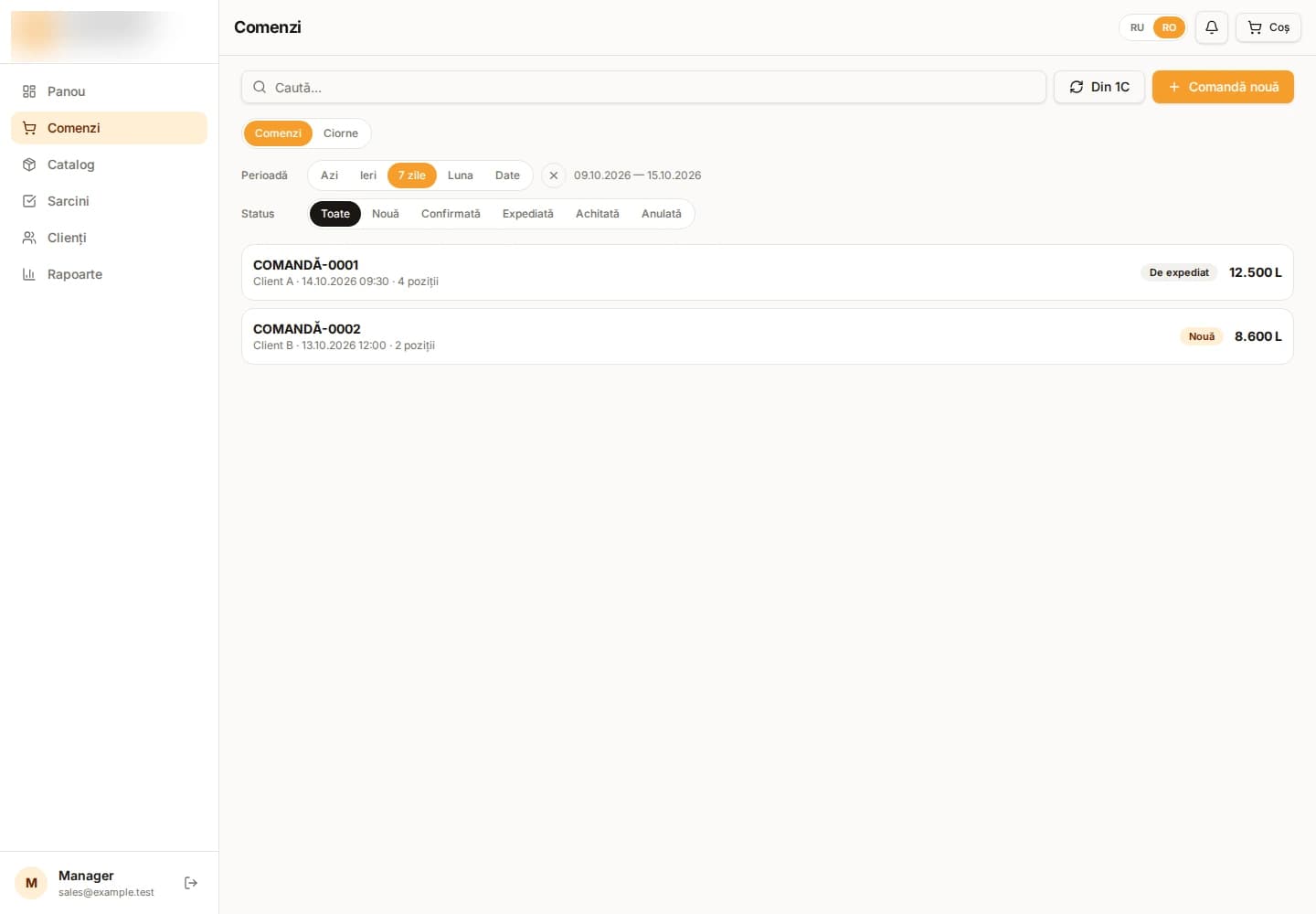
- Orders have their own flow: search, period, statuses, new-order creation, and status updates from 1C are available together.
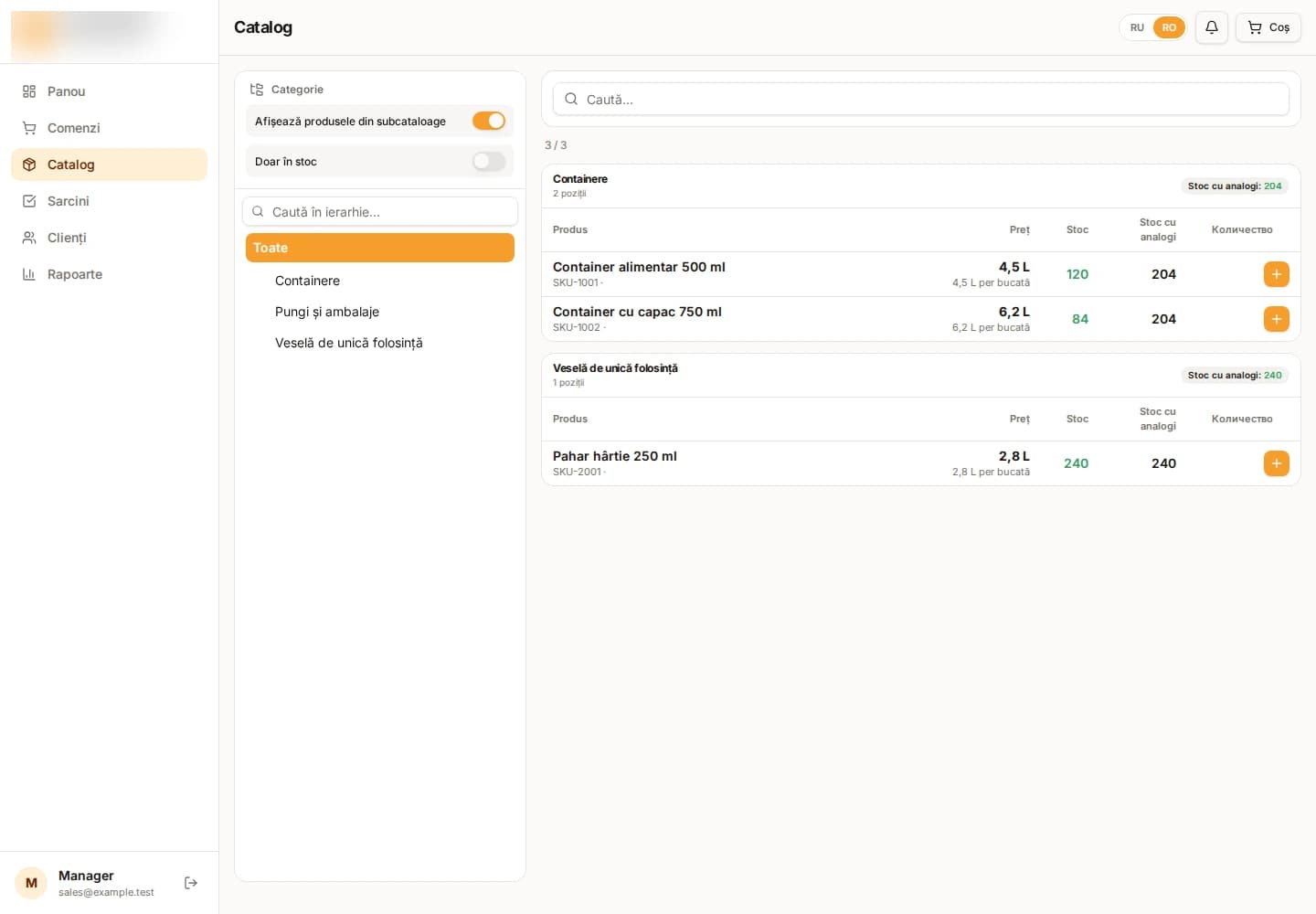
- The catalogue is presented as a selling tool, rather than a technical directory.
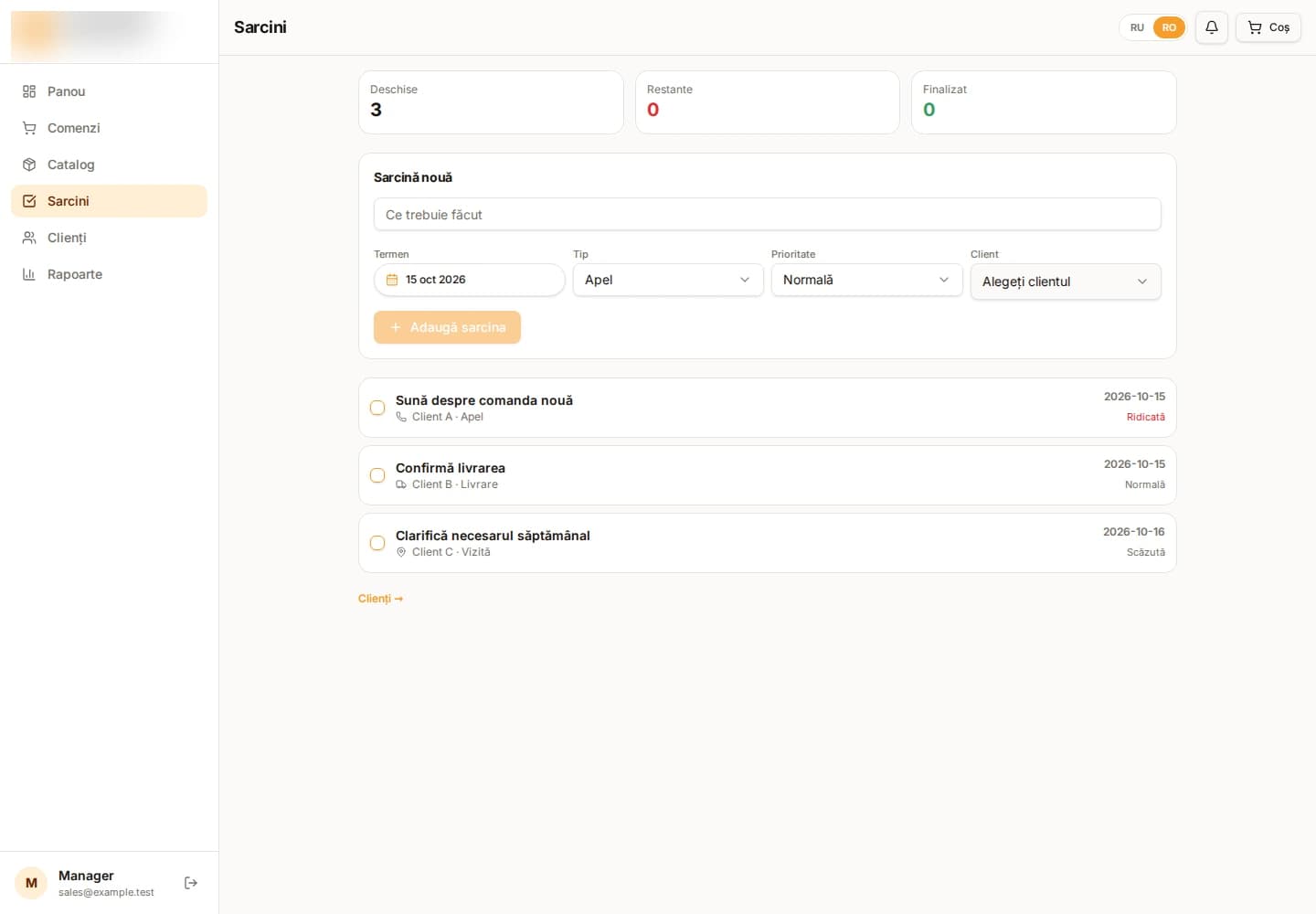
- Tasks and customers keep the next action visible: who to call, what to clarify, and what must not be lost after a conversation.
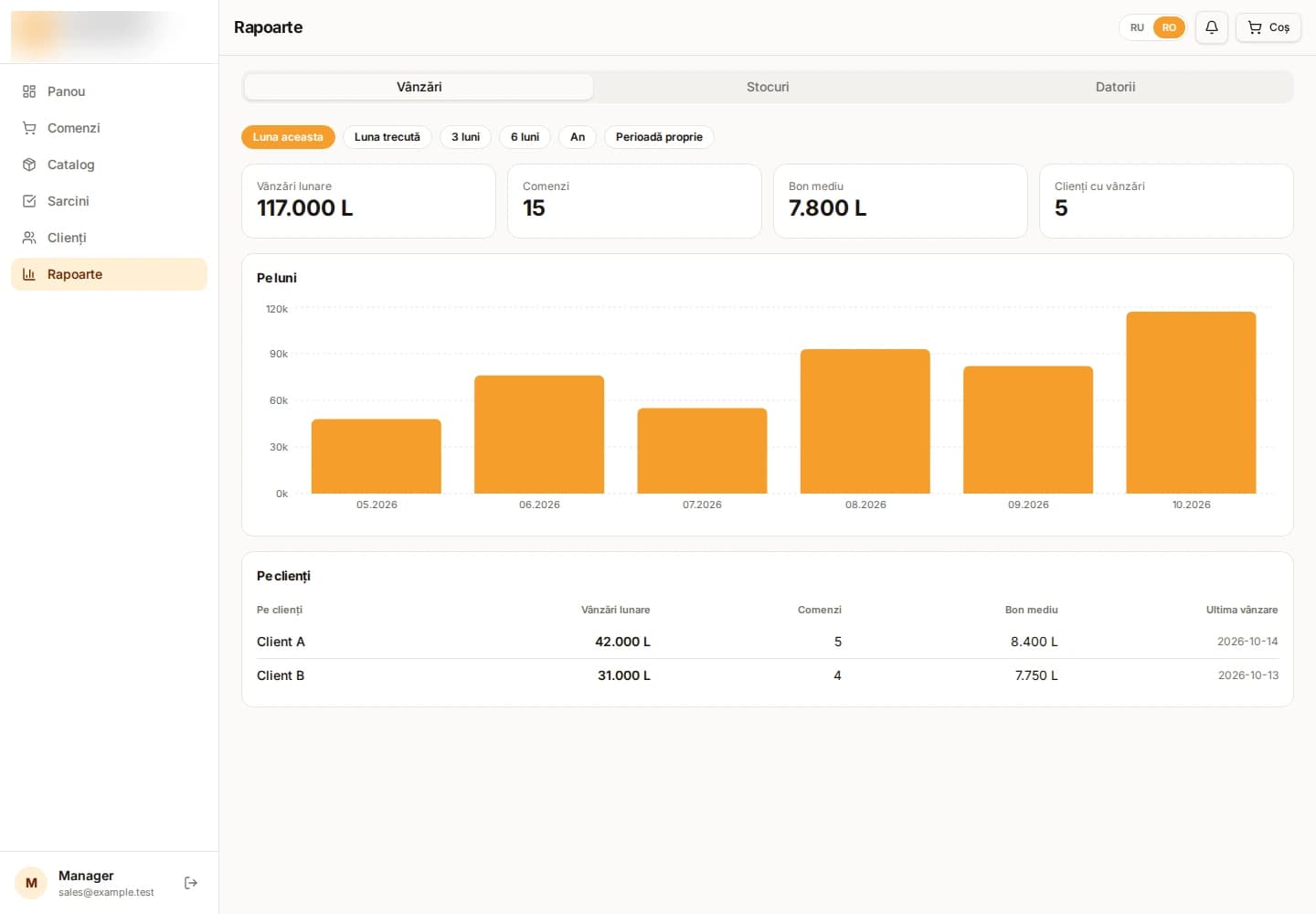
- Reports live in the same environment where a manager works with an order.
The functions form one working flow. A manager finds an item by name or category, sees its price and available stock, adds it to an order, and can save that order as a draft while the customer confirms. The order list then provides period selection, search, status, and status synchronisation from 1C — without manually reconciling different windows.
The task flow keeps the next action beside the sale: set a due date, action type — call, visit, delivery, or debt follow-up — priority, and customer. A completed task leaves the active list, while overdue actions are immediately visible. In reports, the manager connects sales, order count, average receipt, monthly dynamics, and customers; stock and debt tabs help prepare a conversation before making the call.
This approach does not compete with 1C. It reduces cognitive load for a role that needs to sell and serve customers, rather than memorise paths through accounting forms.
An order is a working flow, not a document hunt
The order screen is built around real day-to-day questions: “What was created today?”, “What is waiting for confirmation?”, “What has already shipped?”, and “How do I find the order I need right now?”
Instead of a long, context-free document list, the manager has:
- fast search;
- period filters for today, yesterday, week, month, or a selected range;
- status filters;
- a separate draft mode;
- new-order creation;
- an action to synchronise statuses from 1C.
The value is not simply that the interface looks cleaner. When statuses and actions are immediately visible, a manager can respond to a customer faster and switch context less often. The order process also becomes more predictable without requiring every manager to become an expert in 1C navigation.
Convenience means control, not a decorative layer
A good sales workspace should not hide business reality. It should present that reality in the right order. First comes what requires action: today’s task, an order, a status, a customer. Next comes the information that supports a decision: trends, debt, and sales for the period. Only then come the accounting-layer details.
Manager also includes RU/RO language switching. For a Moldovan team, this is not cosmetic: it is a natural part of daily collaboration with customers and colleagues.
What changes for the business
This layer above 1C produces practical outcomes:
- sales managers work from one clear interface;
- new colleagues learn daily scenarios faster;
- calls, tasks, and orders do not remain scattered across personal notes;
- leaders see the sales process through understandable business entities rather than technical screens;
- the accounting backbone stays intact while the sales front office becomes easier to use.
AKDEV Sales Manager is an example of evolutionary digitalisation: not a disruptive migration, but a focused improvement to the workspace that affects service speed, process discipline, and customer communication.
1C remains the accounting backbone. Manager makes sales work easier.